

For many companies, FileMaker is the engine that keeps the business running. Your team relies on it every day to track clients, manage inventory, handle orders, and keep projects on schedule. But what happens when people outside your office – like customers, suppliers, or field staff – need access to that information? That’s where a custom web app comes into play.
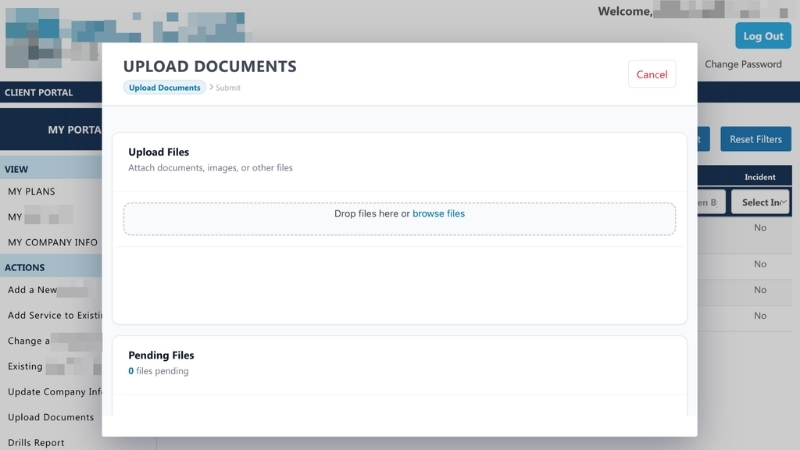
Instead of scrapping your current setup and starting from scratch, you can add a web portal that connects directly to it. Users enter a web address and see what you want them to see, or they can log in with credentials you provide.
This bridge gives your clients or partners a secure, easy way to see information or submit requests. And FileMaker keeps handling all your processes in the background.
And if you don’t use FileMaker but are still looking to build an online portal for your staff or clients? We do that, too! Keep reading, then let’s talk.
Check out our Design Gallery and YouTube videos to see some examples of what your web connection could look like!
Why connect a web app to FileMaker?
FileMaker is fantastic for managing things inside your office, but your customers don’t need to see your entire system. A web portal gives outside users a simple, focused experience while keeping your internal database as the main hub for all your company data.
Here are a few common ways businesses use this setup:
- Customer portals for viewing invoices, placing orders, or checking the status of a project.
- Vendor portals for suppliers to update delivery dates or inventory levels.
- Online forms that feed client information straight into your database without manual typing.
- Appointment scheduling or service requests that land directly on your team’s schedule.
- Employee tools for remote staff to submit timesheets or expense reports on the go.
By giving customers, vendors, or employees access to only the specific tools they need, you make things incredibly easy for them while keeping control over your core database.
Keep using the tools that already work
One of the biggest perks of this approach is that you don’t have to change how you do business. All your existing rules, custom reports, and automatic workflows stay right where they are inside FileMaker. The web app simply serves as a new window to view and interact with that data.
Because the two systems talk to each other and pass data back and forth automatically, everything stays organized in one central place. This sync eliminates double-data entry and ensures nobody is ever working off outdated information.
A professional experience for your clients
While FileMaker does have ways to share data online, a dedicated web portal gives you complete control over how it looks and feels. You can match your company’s exact branding, make it intuitive to navigate, and ensure it works perfectly across devices—whether a customer is checking it on a desktop at the office or a smartphone on the go.
The result is a polished, professional experience for your audience without losing any of the power of your internal software.
Security comes first
Opening things up to the outside world doesn’t mean risking your data. Security is built into the design from day one.
A smart setup ensures that customers or vendors only see the details that are relevant to them. With proper user logins and encrypted connections, your business operations stay safe and private.
The best of both worlds
You don’t have to choose between keeping FileMaker or switching to an entirely new platform. By pairing them together, you get the best of both. Your team keeps using the software they already know, while your customers get a modern, convenient experience.
At Portage Bay Solutions, we specialize in bridging these systems together. Whether you need a client portal, online order forms, or mobile access for your field team, we can design a setup that works with your current FileMaker system and helps your business grow. Get in touch with us today for a free consultation.
This piece represents a collaboration between the human authors and AI technologies, which assisted in both drafting and refinement. The authors maintain full responsibility for the final content.