
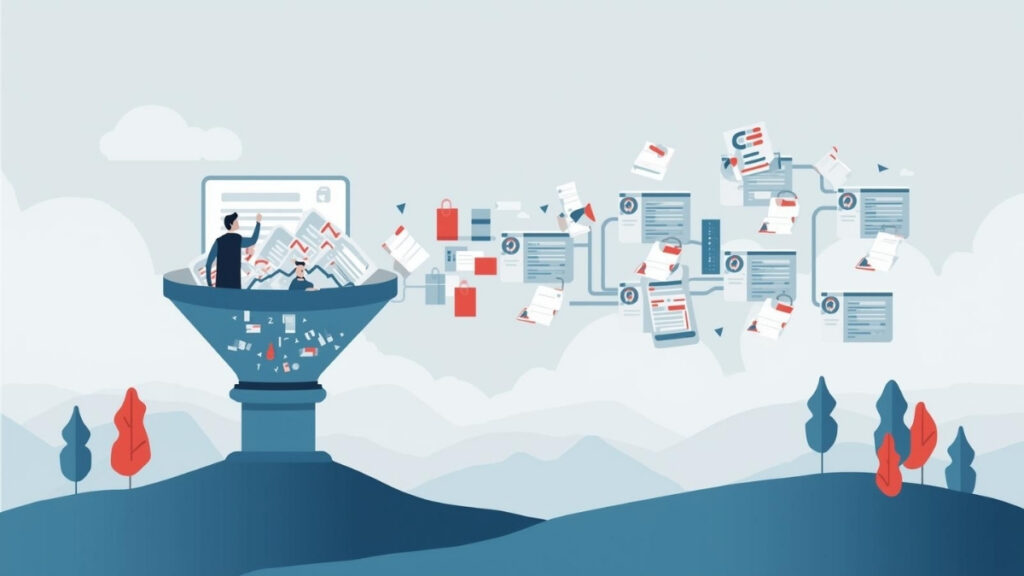
Many organizations adopt a CRM with the hope that it will streamline communication, organize customer information, and bring structure to their sales or service operations. And in the early stages, most CRMs do exactly that. They offer a centralized place to store data, track tasks, and keep records consistent. But as a business grows, the CRM that once felt helpful may gradually become a source of friction. The system stops matching how the organization actually works, and teams begin building workarounds just to keep things moving.
Why a CRM stops supporting your workflow
CRM challenges rarely show up all at once. They emerge slowly as teams stretch the system beyond its original configuration. A sales team may create personal notes in separate documents because the CRM’s activity fields don’t capture the nuance they need. Customer service reps might maintain their own lists outside the system because the built-in follow-up tools don’t align with their workflow. Managers may have to piece together reports from several places because the CRM’s structure doesn’t reflect how data flows internally.
Over time, the organization ends up maintaining two parallel systems: the official CRM, and the collection of spreadsheets, notes, and messages that staff rely on to fill in its gaps. This patchwork approach makes it difficult to keep information consistent, and it erodes the CRM’s value as a single source of truth.
Small problems accumulate into operational slowdowns. Leads are missed because reminders don’t match the team’s process. Approvals take longer because the CRM can’t support the necessary steps. Customer records drift out of sync when different teams track information differently. Even teams who want to use the CRM correctly find themselves constrained by its limitations.
A realistic scenario
Consider a business that has grown more complex since adopting its CRM. The sales process now involves several stages that require internal reviews and approvals. Quotes follow different paths depending on customer type or project size. Service teams have to link job notes, assets, and scheduling details to the same record. None of these needs were present when the CRM was first implemented.
As a result, everyone improvises. Sales may export data to draft quotes manually. Managers might forward approvals by email because the CRM doesn’t support conditional routing. Service teams might keep parallel notes in separate documents because they can’t attach the details they need. Even with the best intentions, the process becomes dependent on individual knowledge rather than the system itself.
These workarounds create inefficiency, but they also introduce risk. When information lives outside the CRM, it becomes harder to verify what’s accurate, who updated which details, and which version should be trusted.
When switching CRMs doesn’t solve the problem
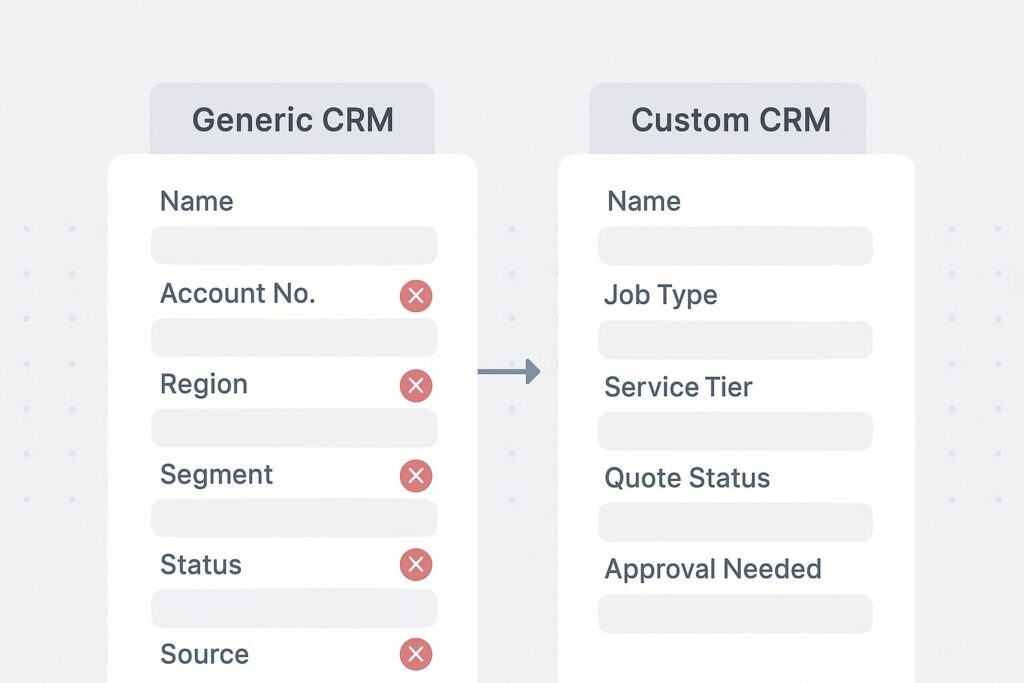
Many organizations think the solution is to replace the CRM entirely, but moving to another off-the-shelf platform often leads to the same pattern. Generic systems are designed to accommodate the largest audience possible. They offer broad functionality, but lack the precision businesses need when their workflows are specialized or interconnected.
This is why CRM problems persist even after migrating to a new system. The issue isn’t the brand—it’s the mismatch between rigid software and unique business processes. No generic CRM can fully capture how a specific organization handles approvals, quotes, jobs, or customer records without leaving gaps.
How a FileMaker-based CRM removes bottlenecks
A custom FileMaker CRM shifts the focus away from what the software can do and toward what your workflow requires. Instead of adapting your process to fit a preset structure, the system is designed around the way your team actually works. Every field, layout, screen, and workflow stage can reflect your terminology and your operational logic.
This means your CRM can handle:
- Multi-step or conditional approval processes
- Custom quoting or job workflows
- Deep links between sales, service, and operations
- Asset history, scheduling, or documentation
- Automated updates across related records
- Integration with purchasing, invoicing, or inventory
- Offline mobile access for field staff
Because the structure matches your process, the CRM becomes easier for teams to use consistently. They no longer need side documents or workarounds to make the system fit their needs.
What improves when the CRM becomes an asset again
Businesses that transition to a custom CRM often notice improvements quickly:
- Staff spend less time searching for information in multiple places
- Approvals move faster because the system supports the exact workflow
- Reporting becomes more meaningful when all data lives in the same structure
- New employees onboard more easily because the system guides them
- Customer communication becomes more accurate and timely
- The CRM regains its role as a reliable operational hub
A CRM should not be an obstacle teams work around; it should be a system that supports the way they work.
If your CRM feels like a constraint
Portage Bay Solutions can help you identify where your CRM creates bottlenecks and design a FileMaker-based solution that aligns with your actual workflow. If you’d like to explore how a custom system can support your operations more effectively, contact us to schedule a free consultation.