An easy-to-use solution for managing 213 and 201 Resource Requests
Easy IAP allows your team to easily manage resource requests and approvals during an incident or exercise. Easy IAP guides you through the approval process and streamlines the tracking, management, and organization of all resource requests in one place. Easy IAP also provides standardized lists of resources from WRRL and printed reports, among other features. Easy IAP is an affordable and effective solution.
Key Features of Easy IAP
Web-Based Access Web access allows for universal access for all team members.
Secure Hosting Secure hosting ensures protection against unauthorized access, data breaches, and other cybersecurity threats.
Automated Approvals Automate approvals streamlines decision-making and reduces delays by using pre-defined rules and workflows.
Role Management Role management assigns and controls access levels and permissions to users based on their roles.
Overview of Easy IAP
Click images to view larger.
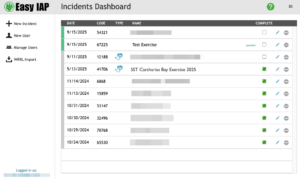
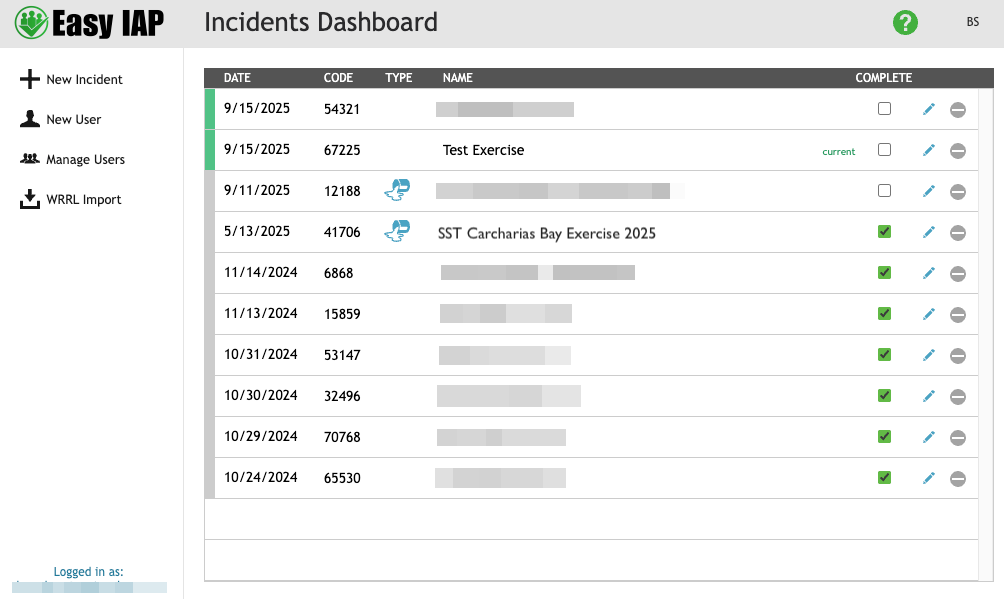
The Incident Dashboard displays recent incidents and is only accessible. by designated personnel.
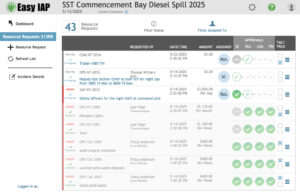
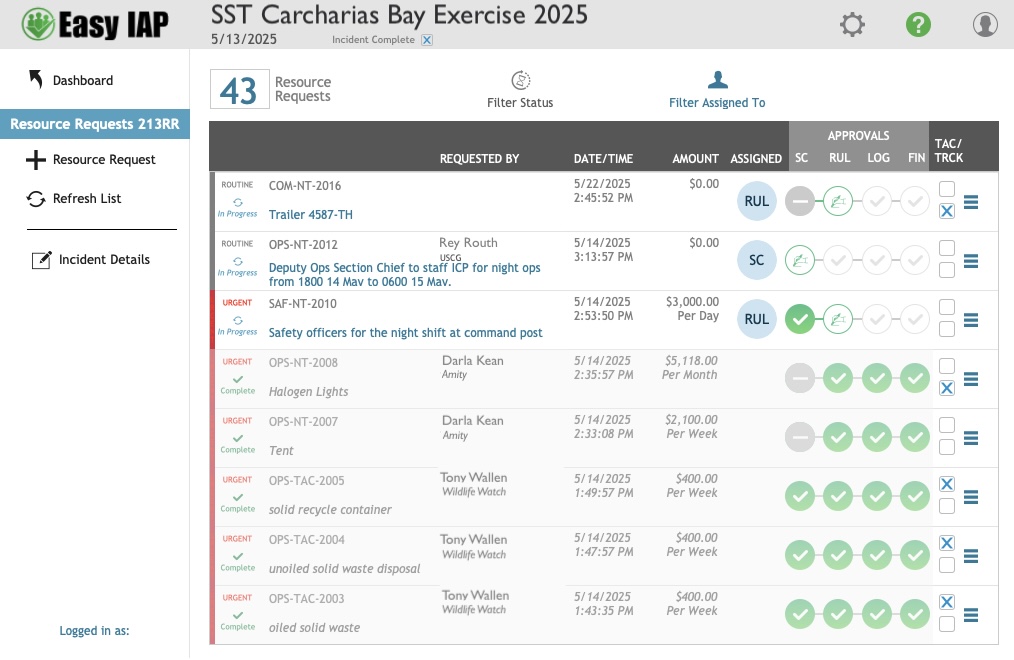
The Resource Request Dashboard lists all request for the incident including approval status, tactical status, progress, urgency, and additional information.
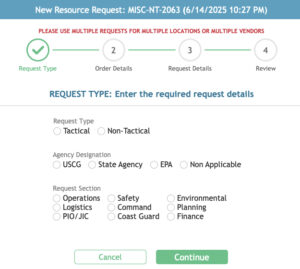
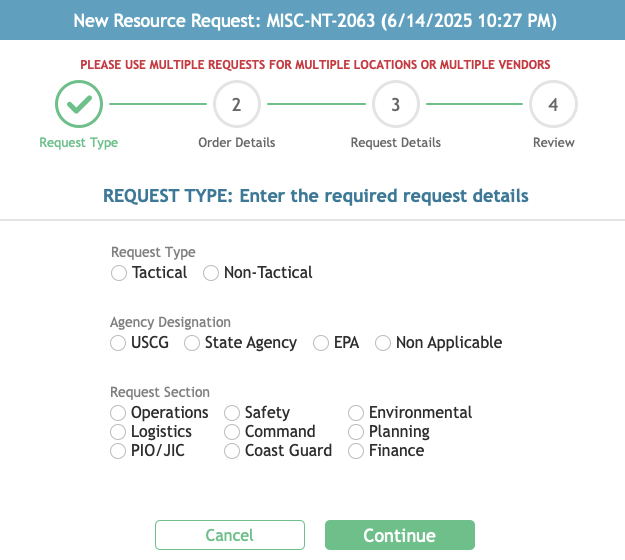
Users are walked through the Resource Request creation process to ensure all details are entered correctly.
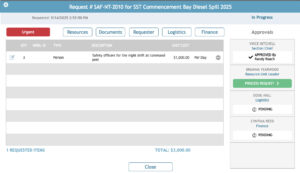
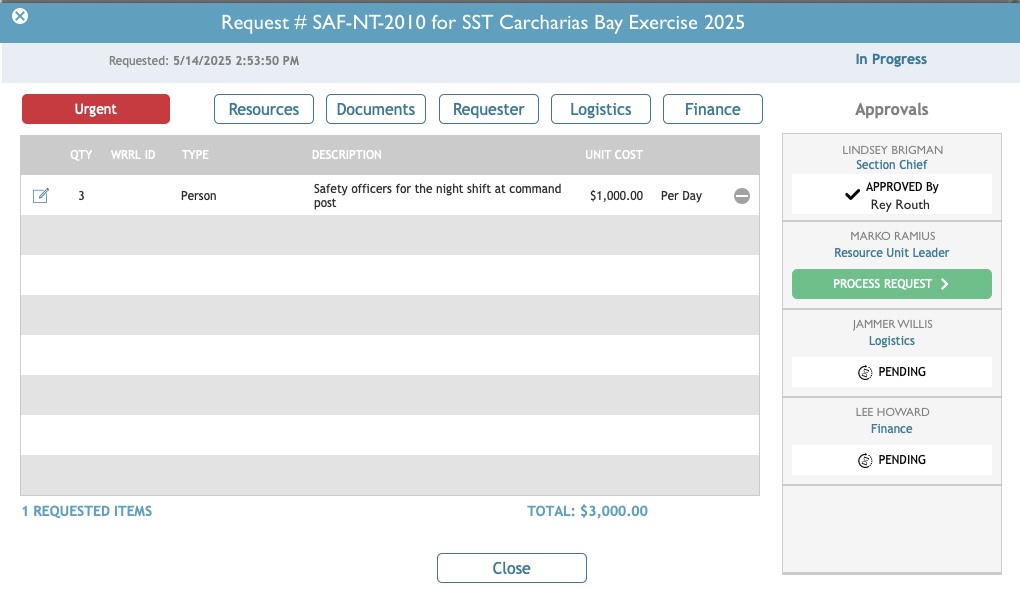
The Resource Request review screen allows users to track the progress of approvals.
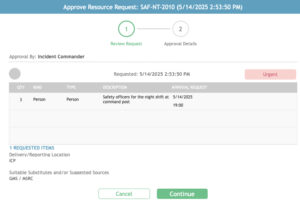
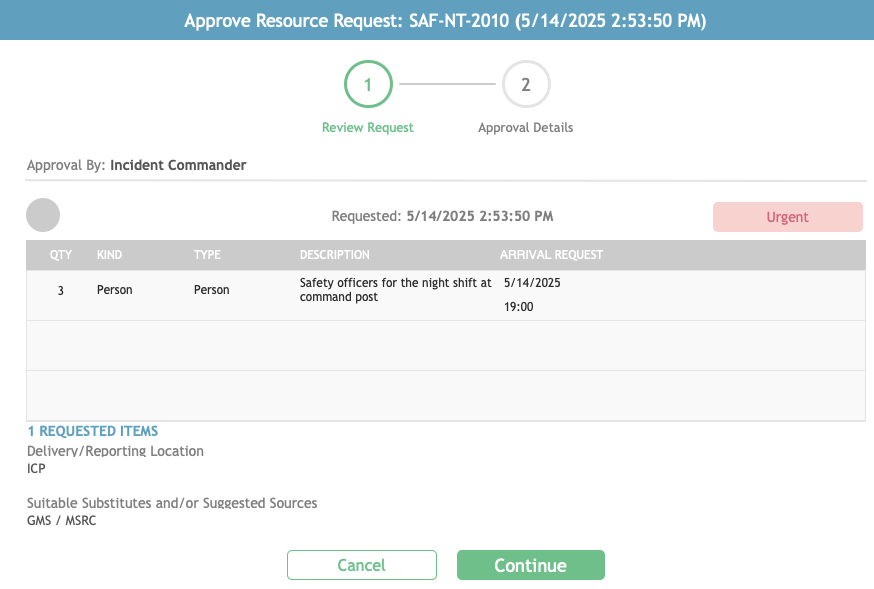
Users authorized to approve requests receive a notification email and use this screen to complete the approval process.
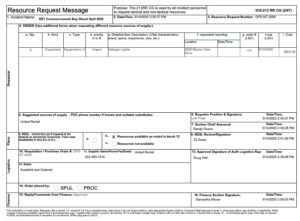
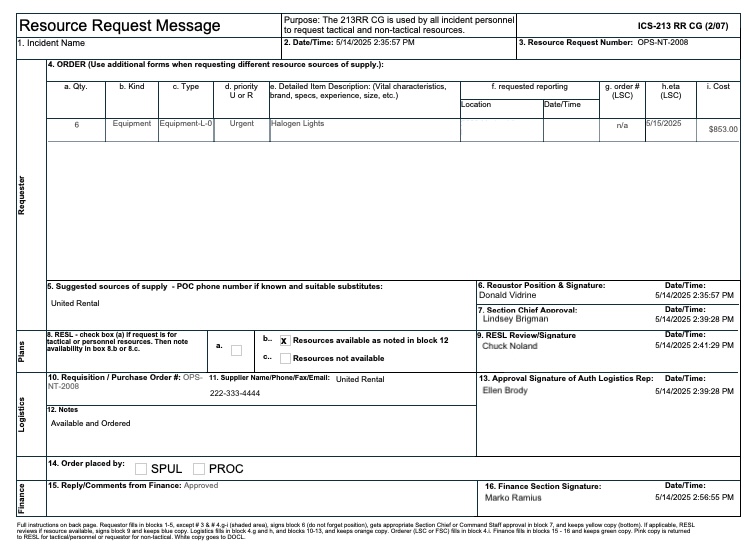
Once a request has been approve by all Section Chiefs, the completed 213 report can be generated.
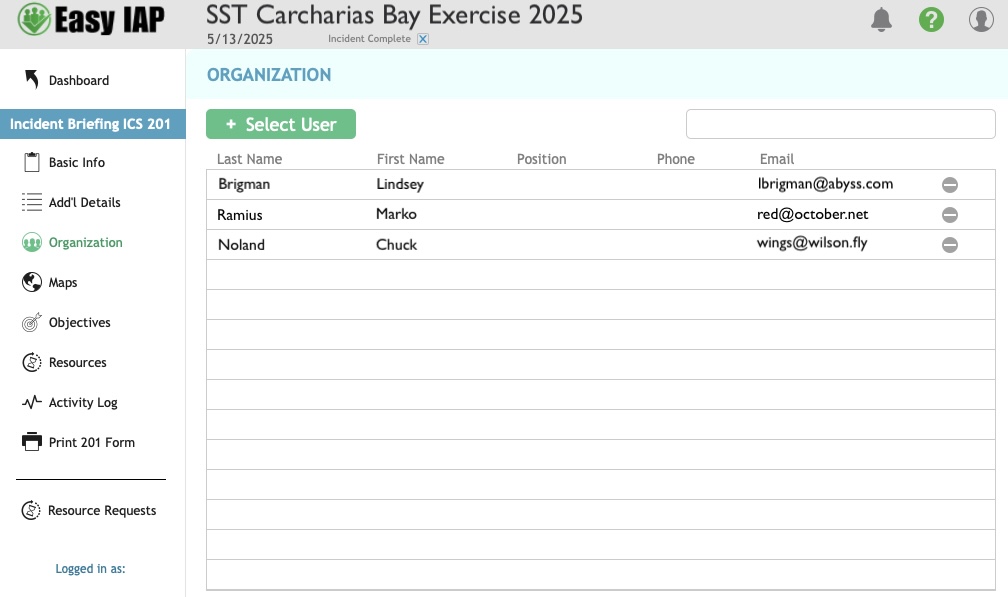
After an incident is create, additional details related to the 201 report can be entered here.
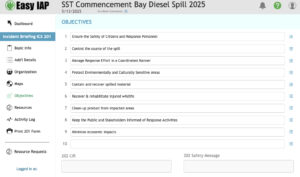
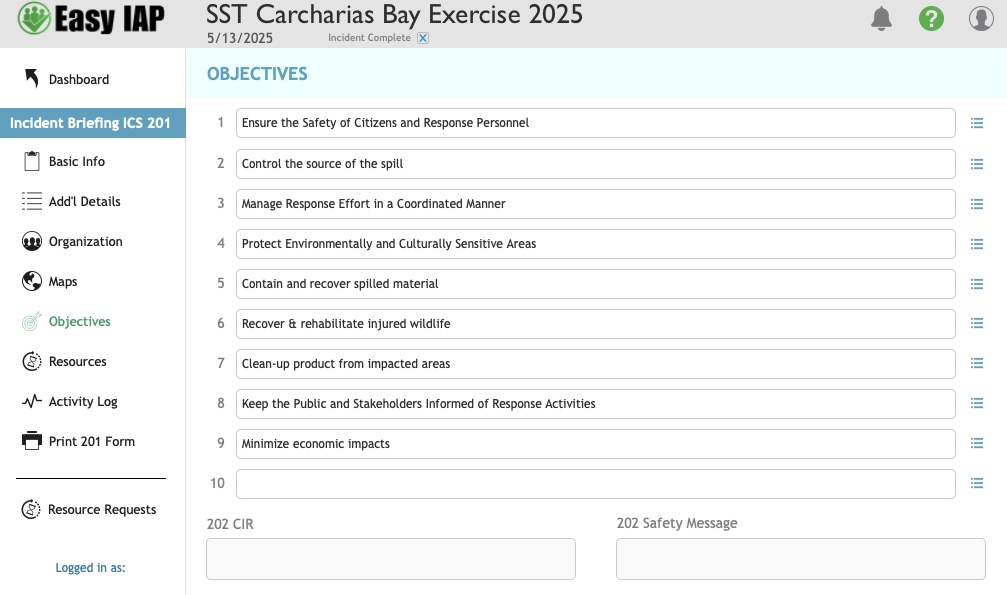
Incident objectives are auto created for each new incident but can be edited and changed here.
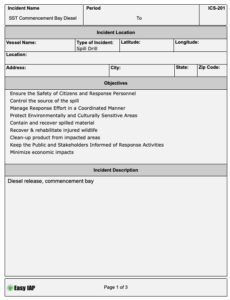
Once all of the information required for the 201 report is completed, the finished 201 report can be generated.
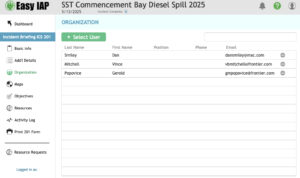
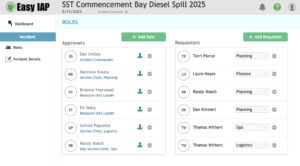
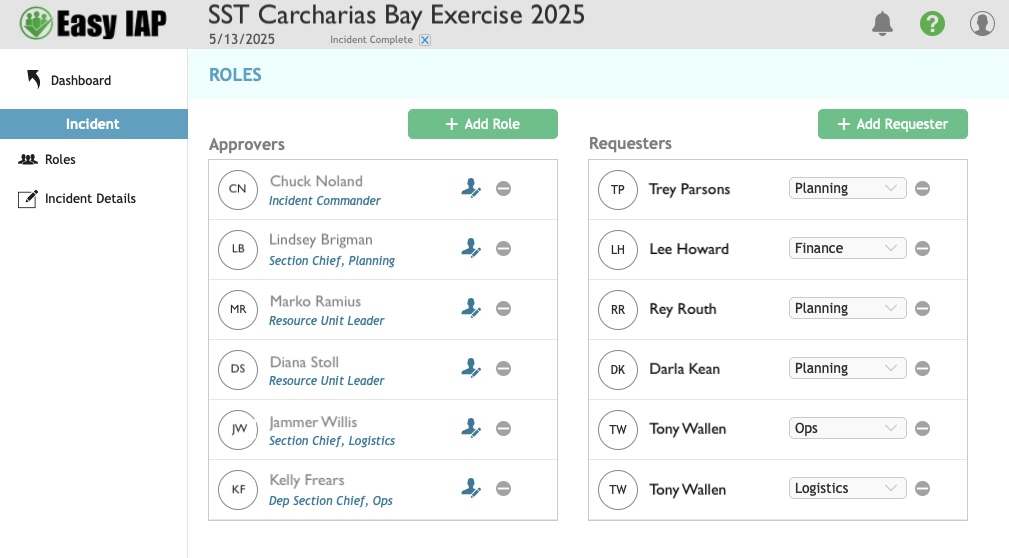
Roles assigned during the incident creation process can be edited here. Invited users receive an email with instructions on how to create an account if they don’t already have one.
The Incident Dashboard displays recent incidents and is only accessible. by designated personnel.
The Resource Request Dashboard lists all request for the incident including approval status, tactical status, progress, urgency, and additional information.
Users are walked through the Resource Request creation process to ensure all details are entered correctly.
The Resource Request review screen allows users to track the progress of approvals.
Users authorized to approve requests receive a notification email and use this screen to complete the approval process.
Once a request has been approve by all Section Chiefs, the completed 213 report can be generated.
After an incident is create, additional details related to the 201 report can be entered here.
Incident objectives are auto created for each new incident but can be edited and changed here.
Once all of the information required for the 201 report is completed, the finished 201 report can be generated.
Roles assigned during the incident creation process can be edited here. Invited users receive an email with instructions on how to create an account if they don’t already have one.