

Most approval processes grow organically over time. A team starts with email, adds a shared folder, and eventually pieces together a mix of PDFs, comments, forwarded messages, and reminders. It works at first, but as the business expands and more people become involved, delays and inconsistencies begin to surface. Documents wait for review, team members lose track of the latest version, and approvals stall in inboxes with no visibility into where things stand. A custom approval system resolves these issues by guiding every document through a consistent path.
Why approval workflows break down
Email is convenient, but it isn’t built for structured processes. When a document is attached to a message and forwarded through multiple people, it quickly becomes unclear which version is current and who still needs to review it. Teams compensate by creating side notes, saving multiple drafts, or sending follow-up messages asking, “Did you see this?”
Even cloud-based file sharing has limitations. A shared drive may hold the master document, but the comments, questions, and clarifications still happen elsewhere. Without a clear approval path, each reviewer follows their own method, which makes the workflow unpredictable and prone to delay.
These problems become especially visible when the process involves multiple steps—initial review, revisions, management approval, and final sign-off. Without structure, the workflow relies on personal attention rather than shared visibility.
A realistic scenario
Consider a scenario where a contract needs input from several departments. Sales reviews the details first. Legal checks specific terms. Finance confirms pricing. Then leadership provides the final approval. While this should be clear, each stage often happens in a different place: email threads, Slack messages, comments in a document, and phone conversations.
If one reviewer is out of the office, the process pauses. If someone makes edits without notifying others, the wrong version can be approved. By the time the final document is ready, no one is entirely sure whether every step was completed—and if an issue surfaces later, there’s no straightforward way to retrace what happened.
Why structured approvals matter
A consistent approval process provides clarity for everyone involved. When each document follows the same path, the workflow becomes predictable and easier to manage. Reviewers know exactly when a document is ready for them, what steps have already been completed, and what still needs attention.
Structured workflows also reduce risk. Instead of relying on memory or scattered communication, the system records each action—who reviewed it, what changed, and when it was approved. This not only improves accuracy but also supports compliance requirements and internal accountability.
How a FileMaker-based approval system helps
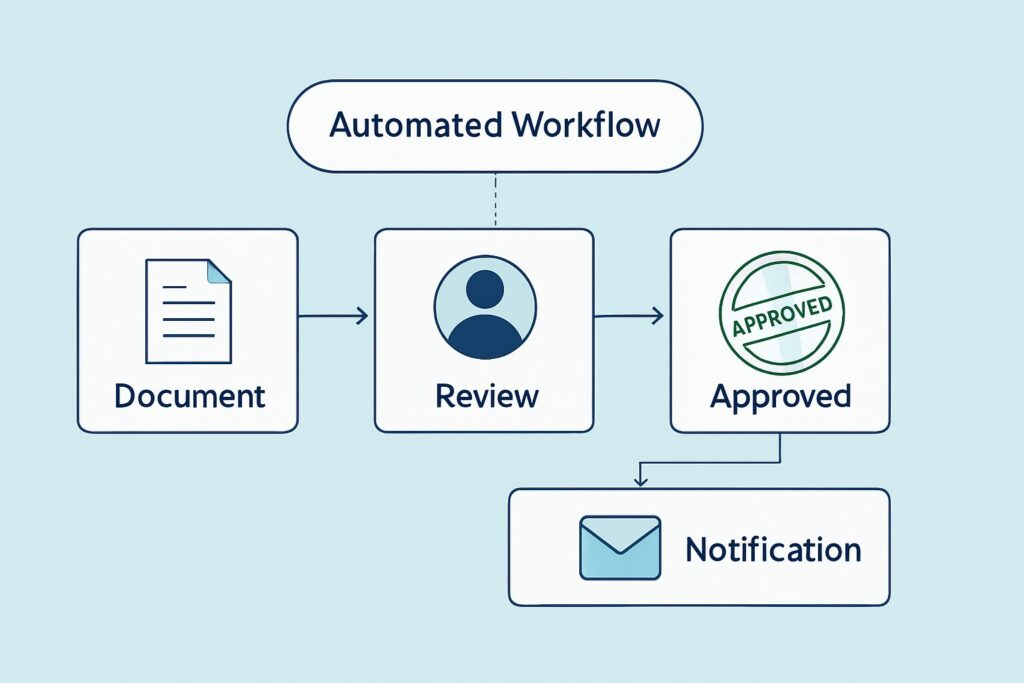
A custom FileMaker approval app mirrors your actual workflow rather than forcing you into a generic structure. Your team can define the exact steps, conditions, and rules that documents must follow.
A tailored approval system can support:
- Multi-stage approvals with clear progression
- Automated notifications when a document is ready for review
- Version control that prevents outdated drafts from circulating
- Inline comments or notes stored with the record
- Required fields before moving to the next step
- Document storage and history in one place
- Activity logs that capture who completed each action
- Conditional routing based on department, contract type, or value
Because the system reflects your real process, it becomes easier for teams to use it consistently—and easier for managers to monitor progress at a glance.
What improves once approvals are automated
Organizations often notice improvements quickly after shifting to a custom approval system:
- Fewer delays caused by lost emails or forgotten tasks
- Clear visibility into who has the document and what’s pending
- More accurate version control and fewer conflicting drafts
- Faster turnaround times
- Reduced administrative overhead
- A reliable audit trail for internal reviews or compliance
- Less back-and-forth communication to clarify status
Instead of chasing updates, staff can focus on meaningful work.
If your approval process needs more structure
Portage Bay Solutions can help you design a FileMaker-based system that automates document approvals and eliminates the delays caused by scattered workflows. If you’re interested in creating a streamlined process tailored to your organization, contact us to schedule a free consultation.