

One of our clients, Joshua Bate Trading Bermuda Ltd. (JBT) sources, sells, services, and installs appliances across Bermuda. Their team coordinates deliveries, installations, and service calls throughout the week, often balancing tight time windows, multiple technicians, and traveling across several parishes. For many years, they have relied on SeedCode’s DayBack Calendar add-on for FileMaker to manage this scheduling.
With their recent plans to upgrade to FileMaker 2025, JBT found they also needed to upgrade to the latest version of DayBack. To keep their scheduling system aligned with their FileMaker environment, they asked us to handle this transition.
What is DayBack
DayBack FileMaker Calendar is an add-on for FileMaker Pro that provides a flexible, visual calendar experience. Users can customize layouts, drag and drop tasks, and connect the calendar directly to FileMaker data. Anyone needing to track schedules, manage resources, or plan meetings using FileMaker data would benefit from a DayBack integration.
The Challenge
In 2020, SeedCode released a new version of DayBack for FileMaker 19 and later. It added several features, which we previously covered here. A few changes had a direct impact for JBT, including where and how certain preferences are defined and who in the company would have access to the calendar (due to new licensing restrictions).
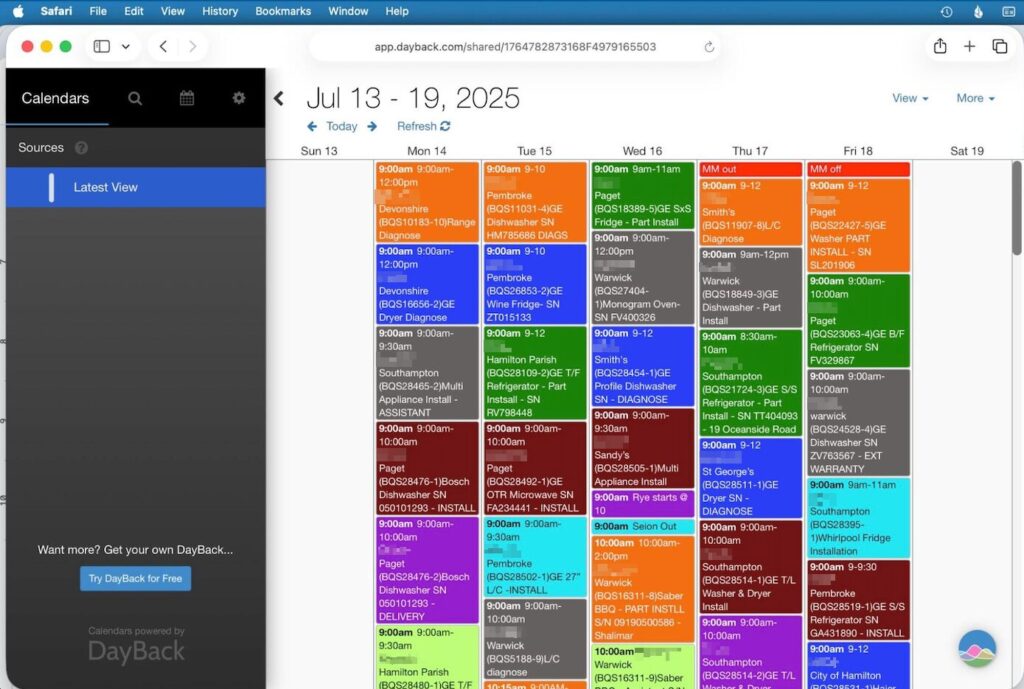
Our client also wanted several data fields added to the events details display, to have more information visible at a glance, helping schedulers make faster decisions without opening each record in FileMaker.
They also wanted to explore adding color-coded indicators for time and location.
Our Approach
To avoid disrupting day-to-day operations, we relied heavily on DayBack’s draft settings mode, where we could configure changes without immediately changing the live calendar. We were able to create various snapshots to preserve different versions of the calendar, allowing us to experiment and restore to a previous state.
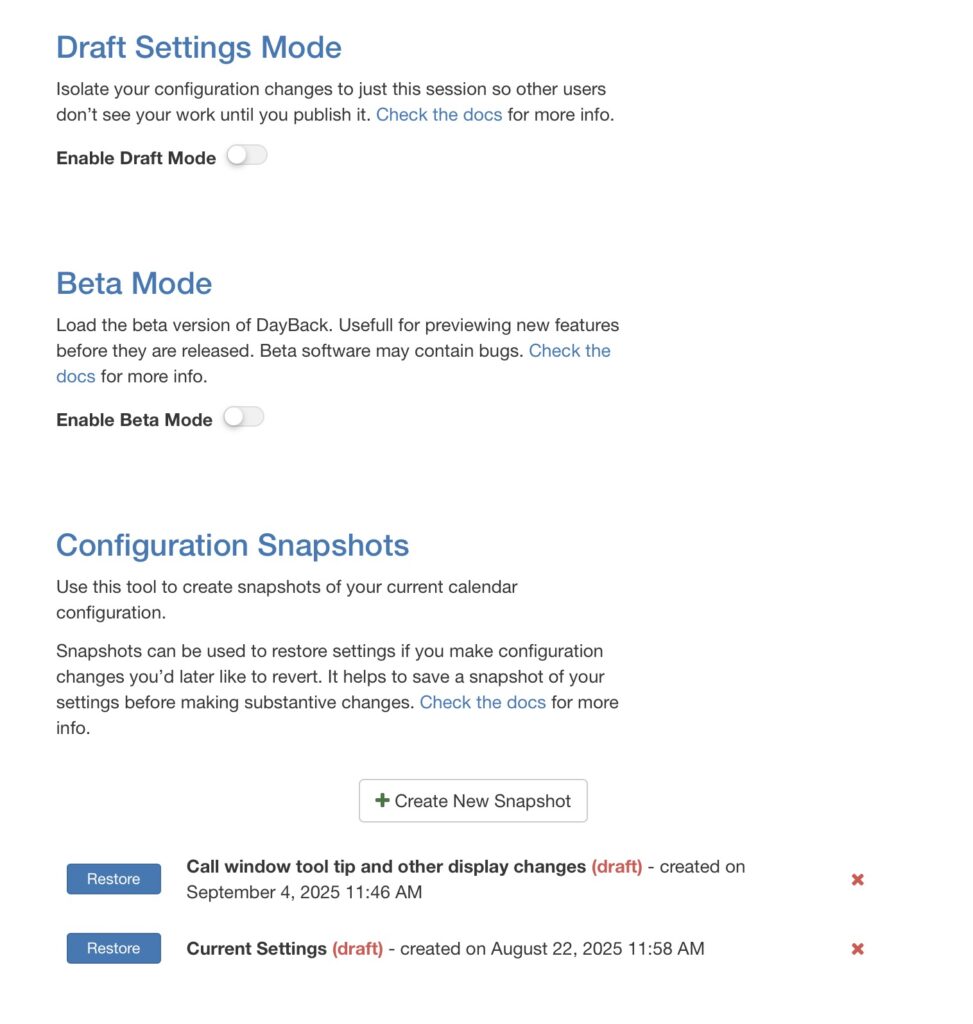
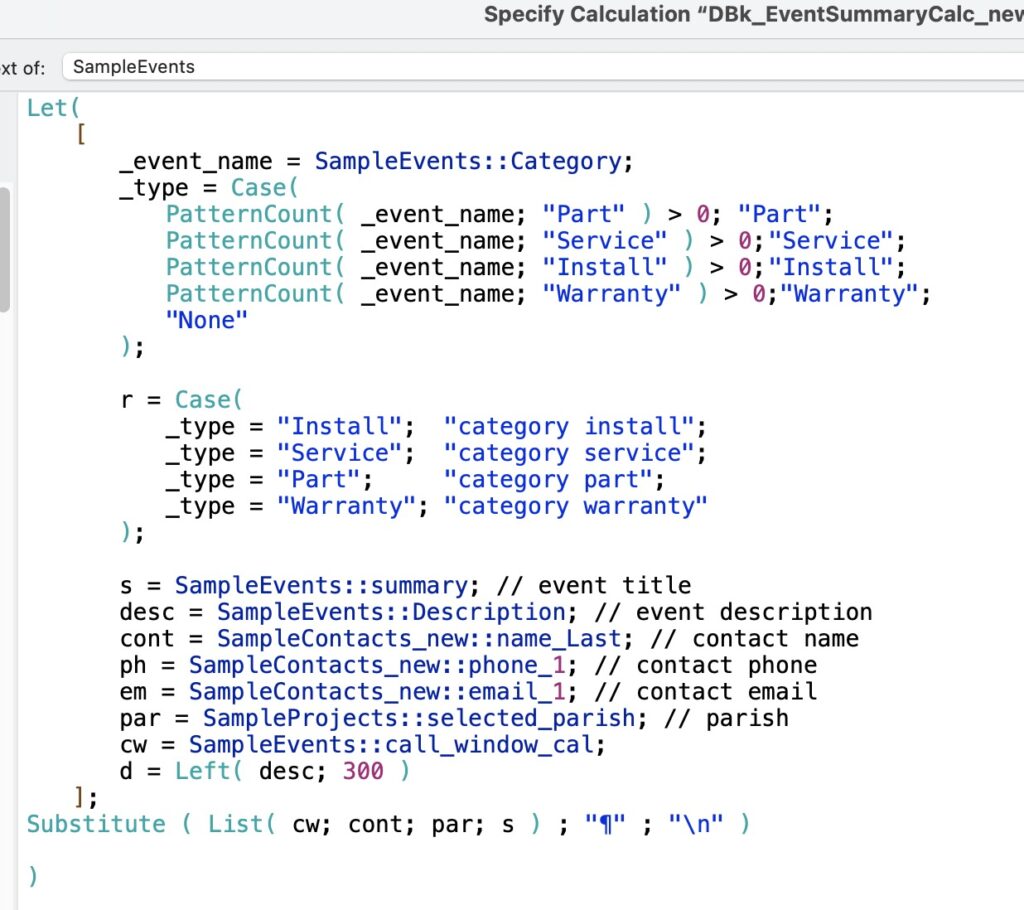
While most of the calendar’s settings are set via the web viewer interface, the calendar’s event detail display is controlled by a calculation field (DBK_EventSummaryCalc). We soon realized we had to duplicate this field as any changes to it affected the live version. In other words, Draft mode does not isolate that field. We mapped the duplicate inside Draft Settings, which allowed us to experiment with different combinations of fields, formatting, and display logic without affecting the live calendar.

Customizing DayBack Calendar for the Client
Once the structural work was complete, we focused on tailoring the calendar to support JBT’s appointment scheduling process. We added custom fields to the calendar’s event display so schedulers could see the service call window, parish, contact name, phone number, and address without opening the FileMaker record. These additional details made it easier for them to plan routes, avoid overlaps, and coordinate technicians throughout the day.
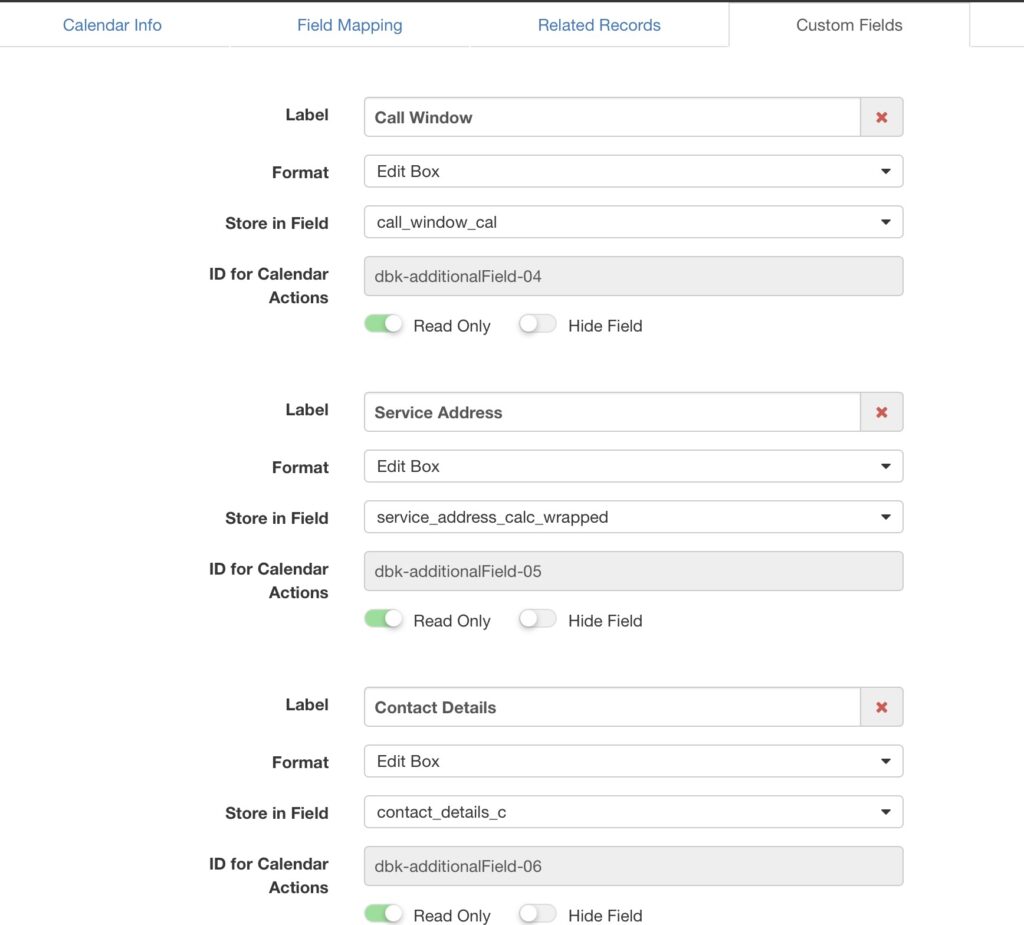
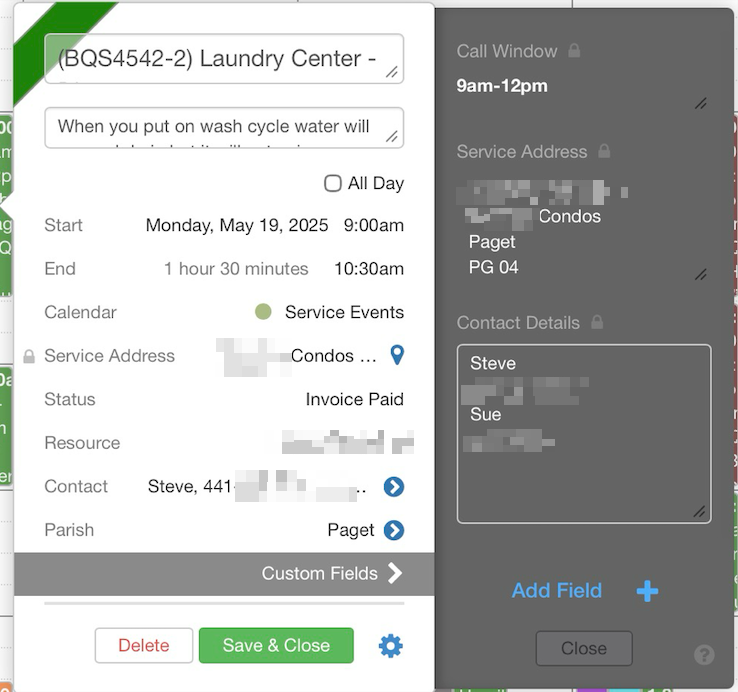
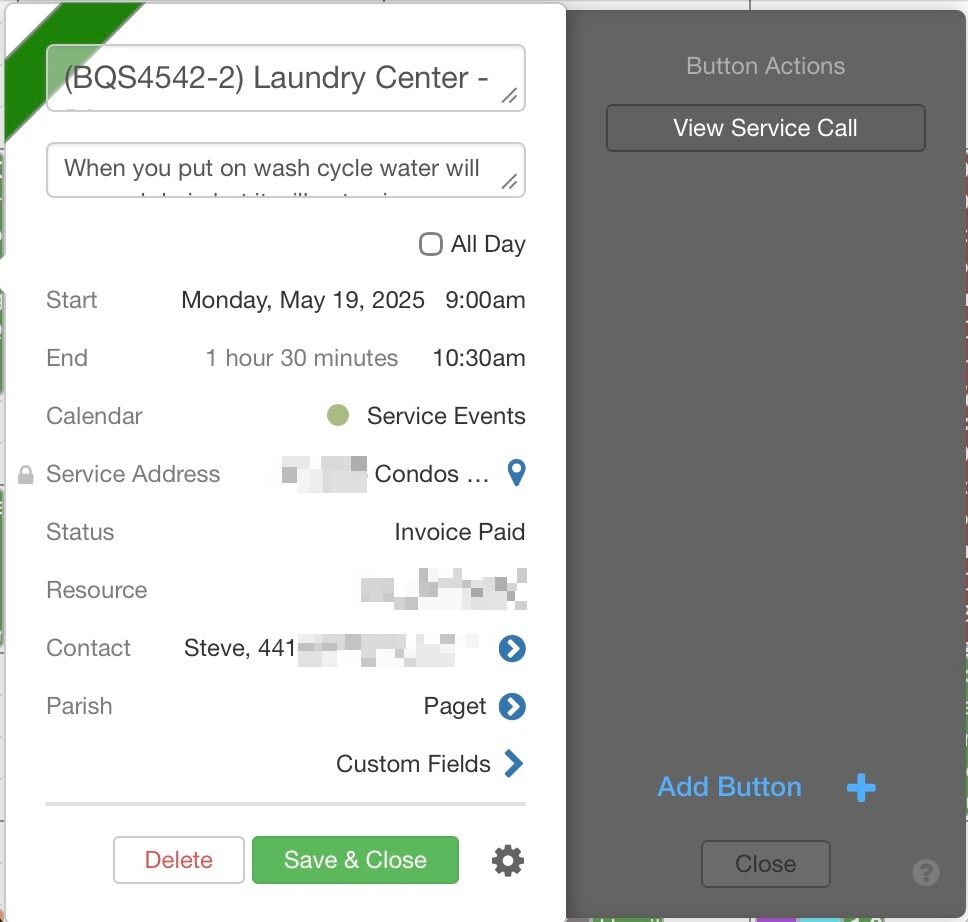
We added two custom button actions. The first opened a side panel (which SeedCode calls a “tray”) to display the additional fields that were added. The second button action opens another tray with a button to open the record in FileMaker. We explored adding color to the event time and parish, but with all of the other coloring, JBT found it to be too busy. Instead, we added some CSS that allows users to see the information when hovering over an event in the calendar view.
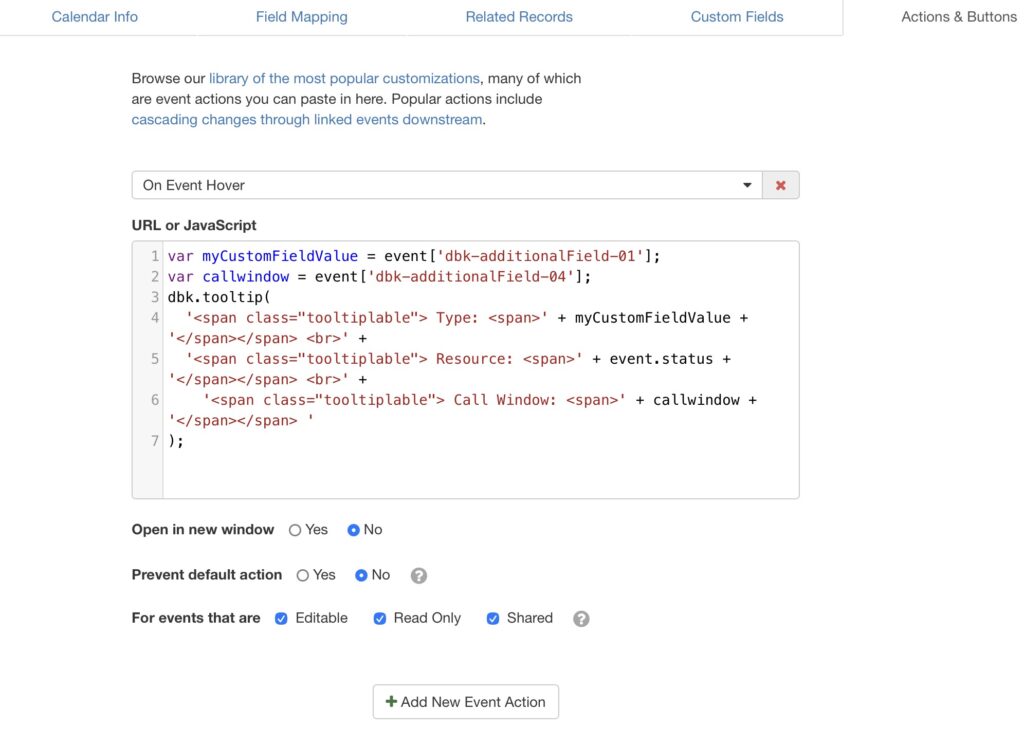
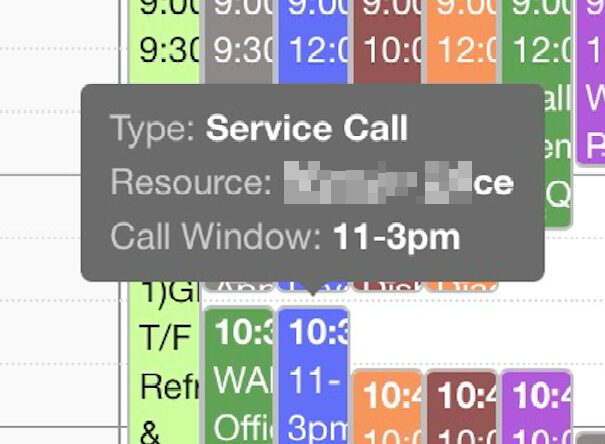
The client expressed interest in mapping service addresses to Google Maps. DayBack supports this process, but it requires an address-to-latitude-and-longitude conversion and a Google Maps API integration. Both steps added cost and complexity that JBT ultimately chose to defer.
Licensing Considerations
DayBack switched to a per-user license model, which is something companies will need to consider when budgeting. Fortunately, there is some flexibility – up to three devices can use the same license. While this could be a security issue for some companies, JBT was comfortable allowing users to share a login, thus extending the number of calendar users.
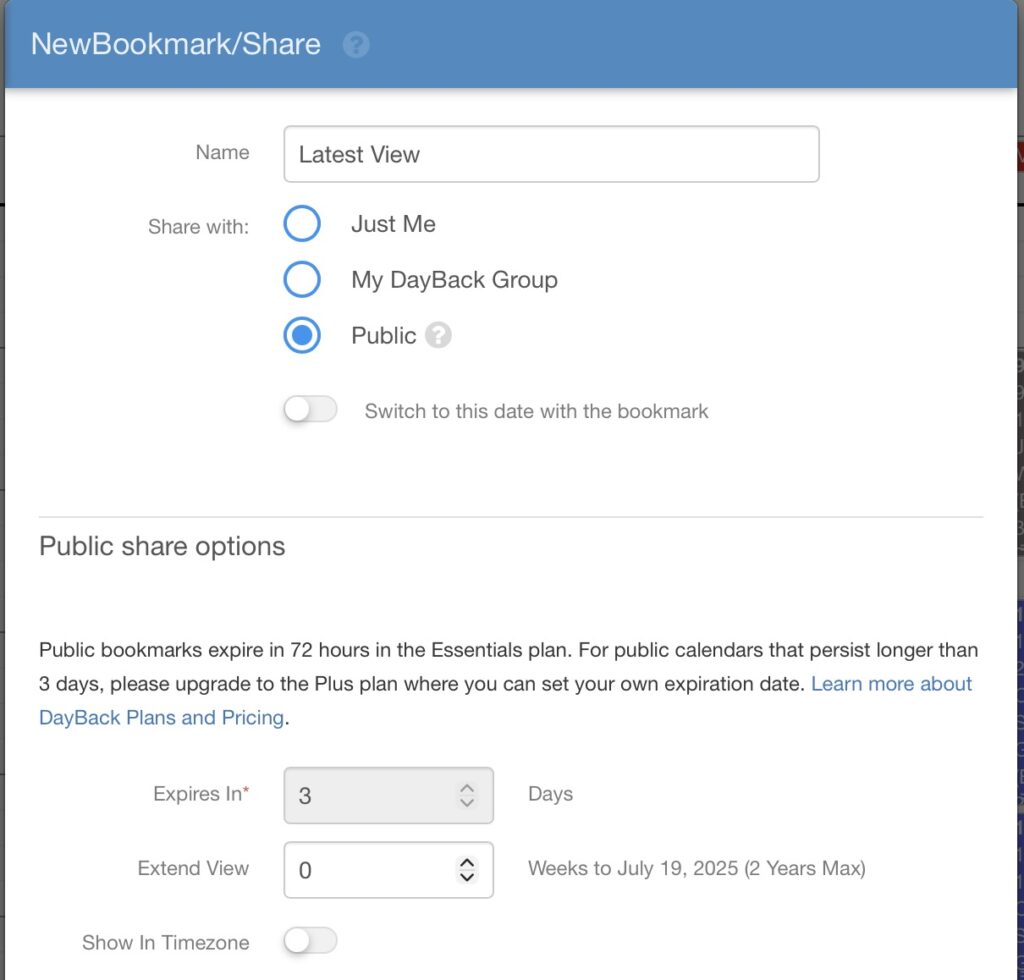
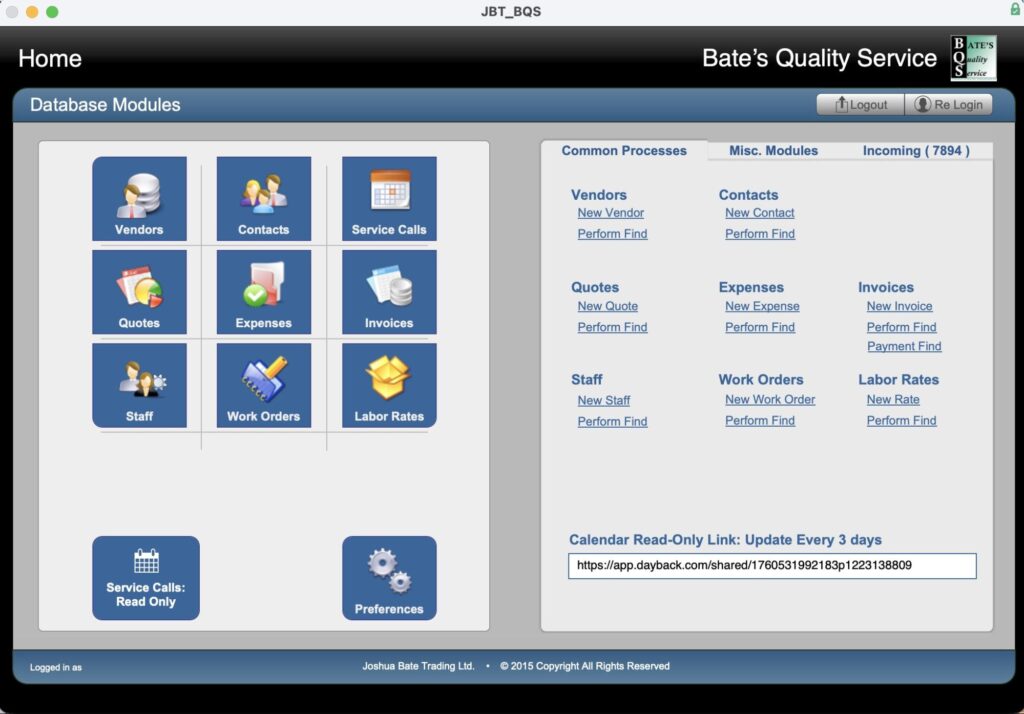
Dayback also has a read-only feature whereby the calendar can be shared with unlicensed users via a URL. On the Essentials plan, the URL expires every three days. While somewhat inconvenient, we used this suitable-enough workaround to allow more employees to see the scheduling.
Lessons Learned
This project highlighted a challenge common to any system built on third-party components. When a vendor updates their platform or retires older versions, clients may need to upgrade sooner than expected. For DayBack, the move also required a shift in how customizations are implemented. The new version of DayBack requires familiarity with HTML, CSS, and JavaScript to implement certain customizations.
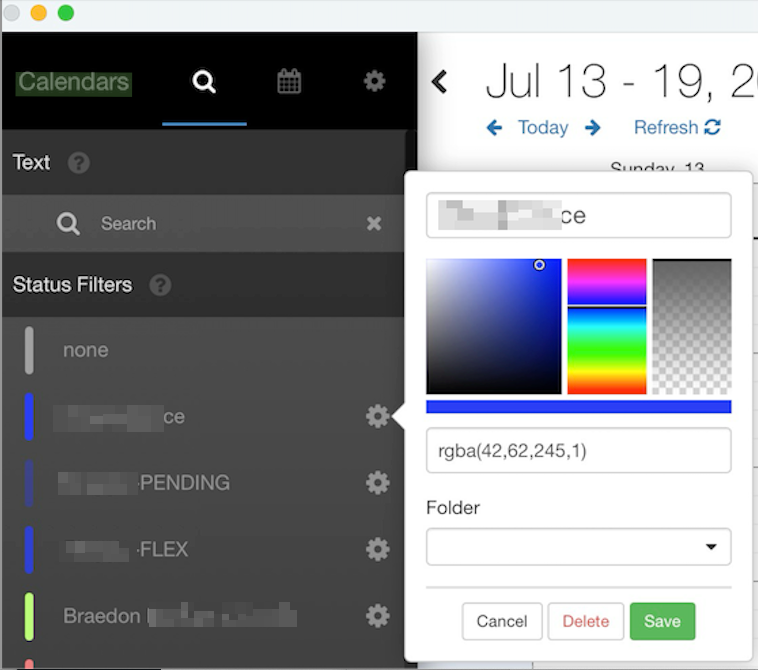
Additionally, in the previous version of DayBack, status colors were stored in a table, and statuses could be mapped to a FileMaker field. But with the transition to Webviewer preferences, these features were lost. We were able to manually recreate the status and assign colors to what JBT was accustomed to seeing.
The Outcome
With this update, Joshua Bate Trading’s calendar is now better customized to display the information they need to see, which helps reduce their scheduling time. Although some advanced features were deferred, the current implementation improves their workflow and provides flexibility. JBT is now also better positioned for future FileMaker upgrades and DayBack compatibility.
We’re ready to assist you with improvements and customizations as well. Head over to our Contact Us page to schedule your free consultation.
This piece represents a collaboration between the human authors and AI technologies, which assisted in both drafting and refinement. The authors maintain full responsibility for the final content.