

Most of the bells and whistles of Claris FileMaker 2026 appear in the FileMaker Pro app. But Claris has not ignored some of the much needed additions to FileMaker Server and Cloud. These enhancements strengthen FileMaker Server as a resilient platform designed for always-on operations. For developers and organizations, this translates into greater uptime, improved performance consistency, simplified administration, and increased confidence deploying FileMaker solutions as mission-critical systems within the businesses you support.
Auto-Restart
FileMaker 2026 introduces automatic restart of the Web Publishing Engine (WPE), OData, and the Data API processes following a crash. Previously, administrators were required to manually intervene and restart those services, leaving connected web clients, API integrations, and OData consumers to experience service disruption. With this enhancement, FileMaker Server automatically detects the crash and attempts to restart the affected process. Note that this feature applies only to non-database processes, meaning there is no increased risk of database file corruption.
Key Components
- Automatic Crash Detection
- Auto-Restart Capability
- No Database Engine Impact: database server process itself is not part of this auto-restart change, preserving database integrity safeguards.
- Crash Logging Preserved
How It Works
- A monitored service crashes, FileMaker Server detects the termination, the server automatically attempts to restart the service, client connectivity is restored without requiring admin action, crash logs remain available for review and support escalation.
- Because these services are stateless relative to the database engine, restarting them does not introduce file integrity risks.
3rd-Party Developer Benefits
- Increased Uptime for API-Driven Solutions
- Reduced Operational Burden
- Improved Enterprise Reliability Story
- Faster Mean Time to Recovery (MTTR)
Potential Use Cases
- API-Heavy Integration Environments: Organizations relying on continuous Data API connectivity for system integration.
- Web Applications Built on WPE: Customer-facing portals that must remain highly available.
- OData-Based Reporting Systems: BI tools consuming OData feeds benefit from automatic service restoration
- Hosted Multi-Tenant Solutions: Partners hosting multiple customer environments gain improved stability without increased operational overhead.
Summary
FileMaker 2026 introduces automatic restart of key auxiliary services (WPE, OData, Data API) after a crash. This enhancement: reduces downtime, eliminates manual restart requirements, improves service resilience, lowers operational overhead, enhances enterprise credibility.
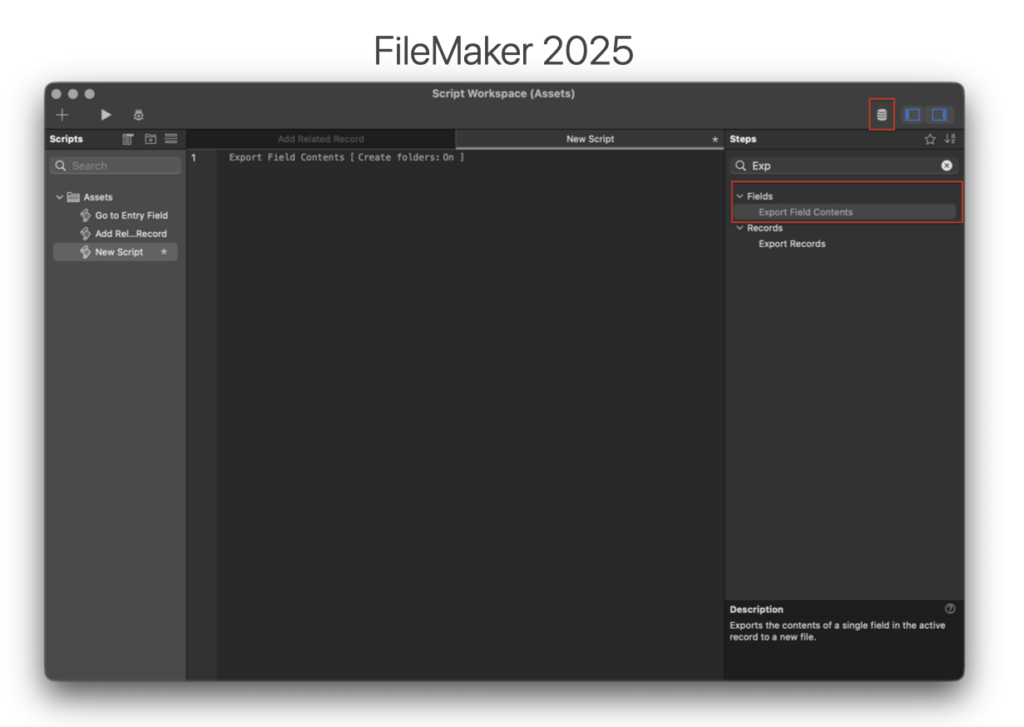
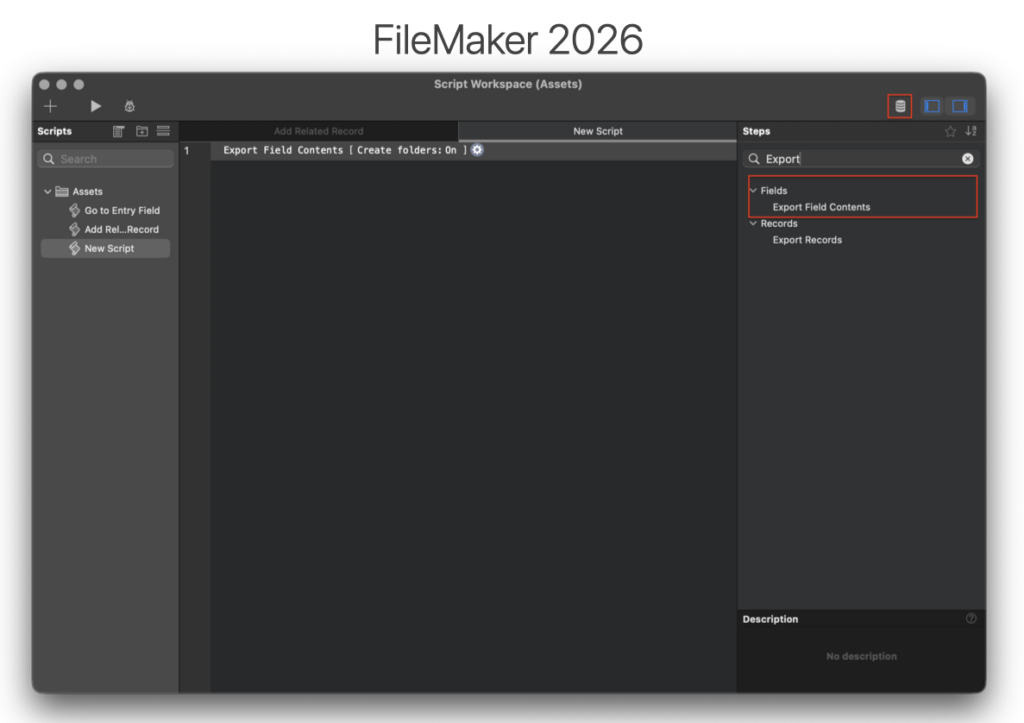
Export Field Contents on Server
FileMaker 2026 adds Export Field Contents script step to FileMaker Server. While developers have long been able to export records server-side, exporting the actual contents of container fields (documents, images, media, generated files, etc.) on the server required plug-ins or complex workarounds. This enhancement removes that limitation and enables direct, native export of container field data from server-side scripts.
Key Components
- Server-Side Support for “Export Field Contents” Script Step: script step can now run in Perform Script on Server (PSOS), Scheduled scripts, Server-side automation workflows.
- Supported Write Locations: files can be written to Documents folder and temporary (Temp) folder, (Following existing FileMaker Server file path and security rules)
- Container Field Compatibility: Supports exporting binary contents stored in container fields
- No Plug-In Required: Native functionality eliminates the need for third-party export utilities.
How It Works
- Server-side script executes
- Export Field Contents step runs directly on the server
- Contents of the container field are written to disk
- File is saved in an approved server directory (Documents or Temp)
- Exported file can then be: Attached to emails, Processed by other systems, Transferred via APIs, Archived or batch processed
3rd-Party Developer Benefits
- Simplified Architecture
- Reduced Cost & Risk
- Cleaner Server Automation
- Stronger Enterprise Credibility: Enterprise customers often question why document export requires third-party components. Native support improves security posture, architectural clarity, IT acceptance, compliance alignment.
Potential Use Cases
- Automated Document Generation
- Email Attachment Workflows
- Integration with External Systems
- Media & Asset Processing
- Compliance & Audit Logging
Summary
FileMaker 2026 introduces long-requested native support for Export Field Contents on FileMaker Server. This enhancement eliminates the need for plug-ins and workarounds, simplifies server-side automation, reduces architectural complexity, lowers deployment and maintenance risk, strengthens enterprise credibility.
Multiple SASE support
FileMaker 2026 introduces support for running multiple Server-Side Script Engine (SASE) processes on a single FileMaker Server host. Historically, FileMaker Server supported only one SASE process per machine. With the increase in server-side automation, integrations, scheduled scripts, and API-driven workloads, this single-process architecture had become a bottleneck. Administrators can now configure multiple SASE processes (hardware permitting) to improve overall server-side script responses.
Key Components
- Multiple SASE Processes
- Admin Console Configuration Setting
- Hardware-Aware Scaling
- Backward Compatibility Safeguards: Administrators may reduce SASE processes to one if required for compatibility with certain plug-ins or workloads
How It Works
- FileMaker Server can launch multiple independent SASE processes on the same host.
- Incoming server-side script sessions are distributed across available SASE processes.
- Scripts execute in parallel across processes rather than serializing through a single engine.
- Throughput increases when hardware resources allow true parallel execution.
- Admin Console determines: maximum supported processes (based on hardware), the configured active number (admin-adjustable, but capped).
3rd-Party Developer Benefits
- Increased Parallel Script Execution
- Better Performance Under Load
- Stronger Enterprise Positioning: Partners can now confidently position FileMaker Server for customers with large integration workloads, multi-user automated systems, heavy back-end processing demands.
Potential Use Cases
- High-Volume API Integrations: Systems that process inbound/outbound REST transactions continuously.
- Scheduled Automation Farms: Environments running large numbers of scheduled server-side scripts.
- Data Processing & Transformation: Bulk record updates, nightly processing, large imports, and sync routines.
- SaaS-Style Multi-Tenant Solutions: Hosted environments where many customers trigger server-side scripts concurrently.
- Enterprise Workflow Engines: Approval flows, notifications, system orchestration scripts running in parallel.
Summary
FileMaker 2026 removes a key architectural bottleneck by introducing support for multiple Server-Side Script Engine (SASE) processes on a single machine. Increases parallelism, improves server-side script throughput, reduces performance bottlenecks under heavy load, enables stronger enterprise scalability positioning.
Additional Enhancements
- Windows Server 2025 Support: FileMaker Server is now certified for use on Microsoft’s latest enterprise OS
- macOS 2026 Support: Full compatibility with Apple’s latest macOS release.
- IPv6 Support Improvement: To support development and deployment of the Failover Server and AI Server, IPv6 support was added, helping to ensure all internal and external endpoints support both protocols.
- OpenSSL 3.5 LTS: Supported through April 2030 on FMS and Cloud
- Apache Tomcat 10.1.44 or newer: Addresses improper resource shutdown or release vulnerability in Apache Tomcat, which made Tomcat vulnerable to a reset attack.
- Specify User for FMS Installation on Ubuntu: New option for FMS to be installed as an OS user on Ubuntu, versus as fmserver.
- Assisted Install option for Developer Tools only: Adds ability to install Command Line Tools only when using Assisted Install.
Noticeable and Needed Server Updates
We’re happy to see Claris institute several handy (and needed) updates to FileMaker Server. Export field contents and auto restarting WebDirect, OData and DataAPI are two of our favorites. These improvements remove some manual workarounds developers have had to implement and constantly monitor.
Have Questions?
Change is coming. Let’s make it smooth. Contact us today for help with planning, problem-solving, and launching with confidence.
This piece represents a collaboration between the human authors and AI technologies, which assisted in both drafting and refinement. The authors maintain full responsibility for the final content.