

Businesses today often assume that a web-based program is the modern answer to every software project. In reality, the best platform depends on your organization’s priorities. Both FileMaker and custom web applications solve complex business problems – they each shine in different situations and can often be combined.
When is FileMaker the best option?
- You want to get up and running quickly
- Your application is primarily for internal users
- You want control over your data
- You don’t want to build security from scratch
You want to get up and running quickly
FileMaker combines the database, user interface, business logic, reporting, and security into a single platform. Which means developers spend less time building infrastructure and more time helping your business. This approach often translates into significantly shorter development cycles.
Your application is primarily for internal users
Inventory systems, CRMs, production tracking, scheduling, asset management, and operational dashboards are all excellent candidates for FileMaker. If your users are employees rather than the general public, FileMaker is often the fastest path to a robust solution.
You want control over your data
Some organizations simply aren’t comfortable storing sensitive business data in a third-party cloud environment. With FileMaker, you decide where your data lives:
- On your own servers
- In your private cloud
- With a trusted hosting provider
You don’t want to build security from scratch
With a traditional web application, even common infrastructure such as user authentication, permissions, and backup must be designed, implemented, tested, and maintained by the development team.
FileMaker includes these capabilities as part of the platform, allowing developers to focus on fixing your business processes instead of rebuilding common infrastructure. As Claris CEO Ryan McCann recently observed, these are problems every application must solve, and FileMaker already delivers them as an integrated platform.
With Claris being an Apple company, that means FileMaker has enjoyed Apple-backed security for over 40 years.

When is a custom web application the better choice?
FileMaker alone isn’t always the right answer. Sometimes a custom web application better fits the project, and can often be blended with your FileMaker data as the backend.
- Your audience is the public
- You need a highly customized user experience
- You need deep integration with other web technologies
Your audience is the public
If hundreds of people will interact with your application through a browser – whether viewing data or logging in – a purpose-built web application is often the better architecture.
Examples include:
- Customer portals
- Online ordering systems
- Membership sites
- Public-facing services
- Consumer applications
You need a highly customized user experience
Modern web frameworks allow developers to create experiences that closely match a company’s branding and user expectations. While FileMaker WebDirect continues to improve, some applications demand the flexibility that only custom front-end development can provide. We’ve been addressing these situations by developing with products like Klai Studio or even AI-assisted approaches.
You need deep integration with other web technologies
Some projects require extensive APIs, JavaScript frameworks, third-party authentication providers, or specialized cloud services. While FileMaker integrates well with many external systems, projects built around a web ecosystem may benefit from a fully custom web architecture.
Sometimes a hybrid approach is best
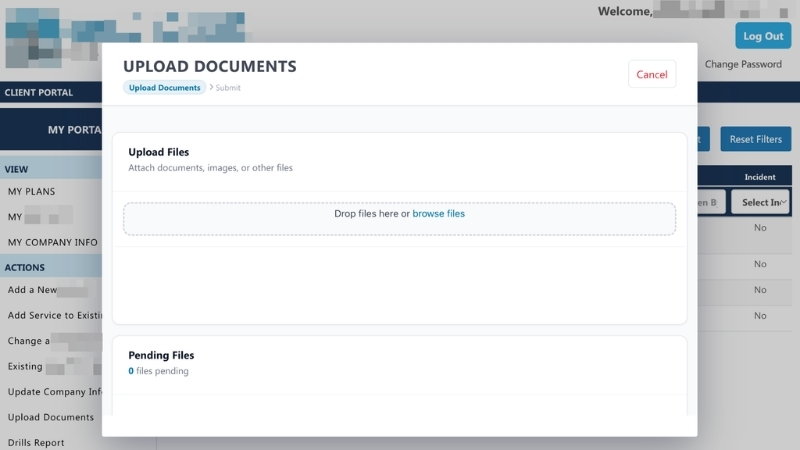
Many organizations use FileMaker as the secure operational system where employees manage business processes while exposing selected functionality through web applications for customers, vendors, or partners.
Examples include:
- Customers submitting requests through a web portal
- Vendors updating order status online
- Employees managing operations inside FileMaker
- Data synchronized automatically between both environments
This hybrid approach allows each platform to do what it does best.
Choosing the right platform
The question isn’t, “Should I build a FileMaker solution or a web application?” The better question is: “What platform best supports my business and provides a great experience for my staff and customers?”
At Portage Bay, we help clients evaluate multiple options based on factors such as security, deployment, scalability, development time, budget, and long-term maintenance. In many cases, the answer is FileMaker. In others, we build a custom web application, and sometimes a hybrid solution is best.
The right choice is the one that delivers the greatest value to your organization.
Contact us for a free, no-obligation consultation to determine whether a FileMaker, web app, or hybrid solution is the right fit for your business.
This piece represents a collaboration between the human authors and AI technologies, which assisted in both drafting and refinement. The authors maintain full responsibility for the final content.